
InVideo AI Review 2026: Text to Pro Videos in Minutes

Expert Reviewer: Marcus Thorne
Lead AI Researcher • Updated: April 2026
*Terms apply. Discount valid for new customers on eligible plans. Subject to change without notice.
The Quick Verdict

Editorial Board
AiToolGems
Recognized By Industry Leaders


What exactly is InVideo AI?
What Is InVideo AI and Why Does It Matter?
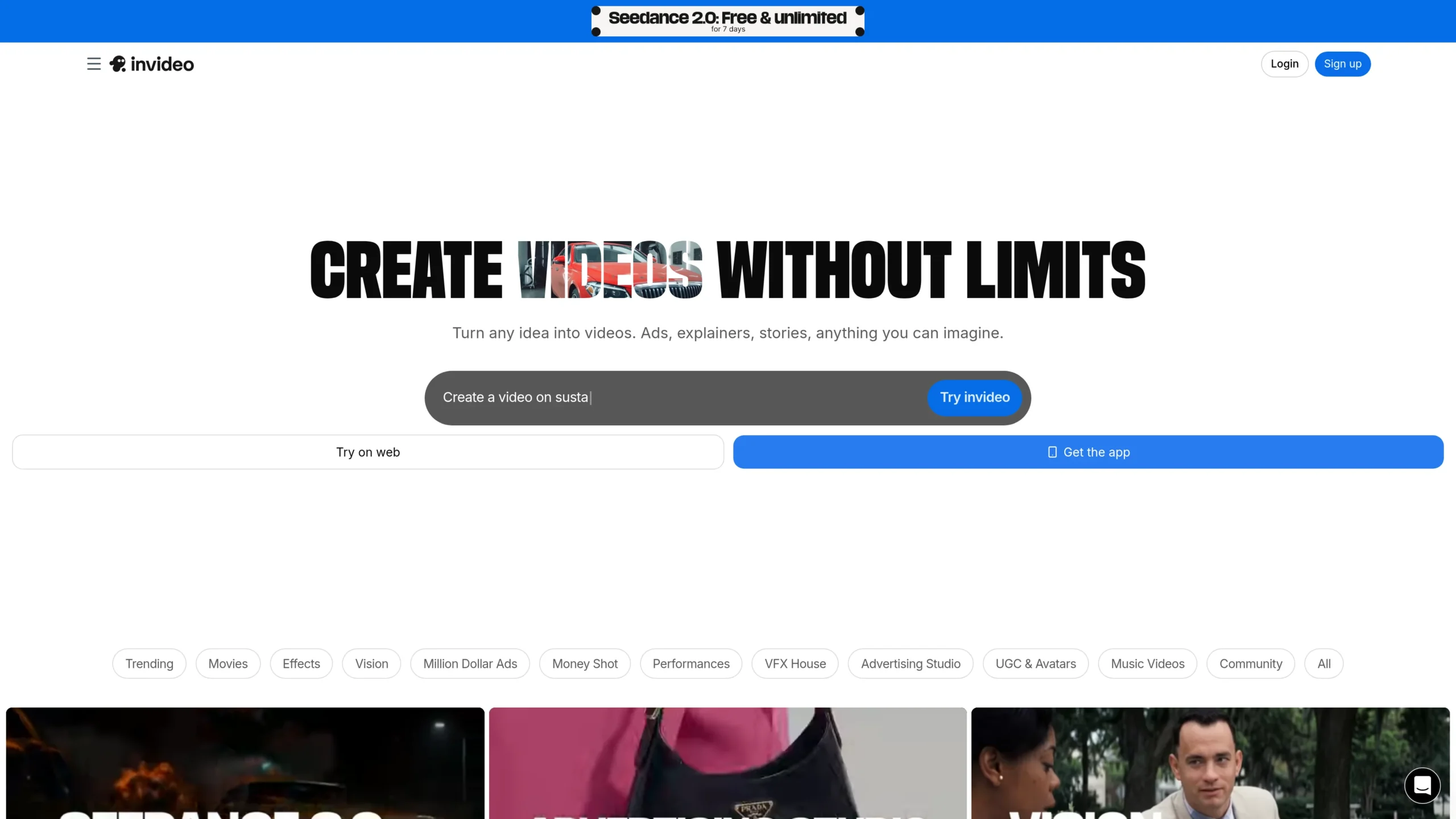
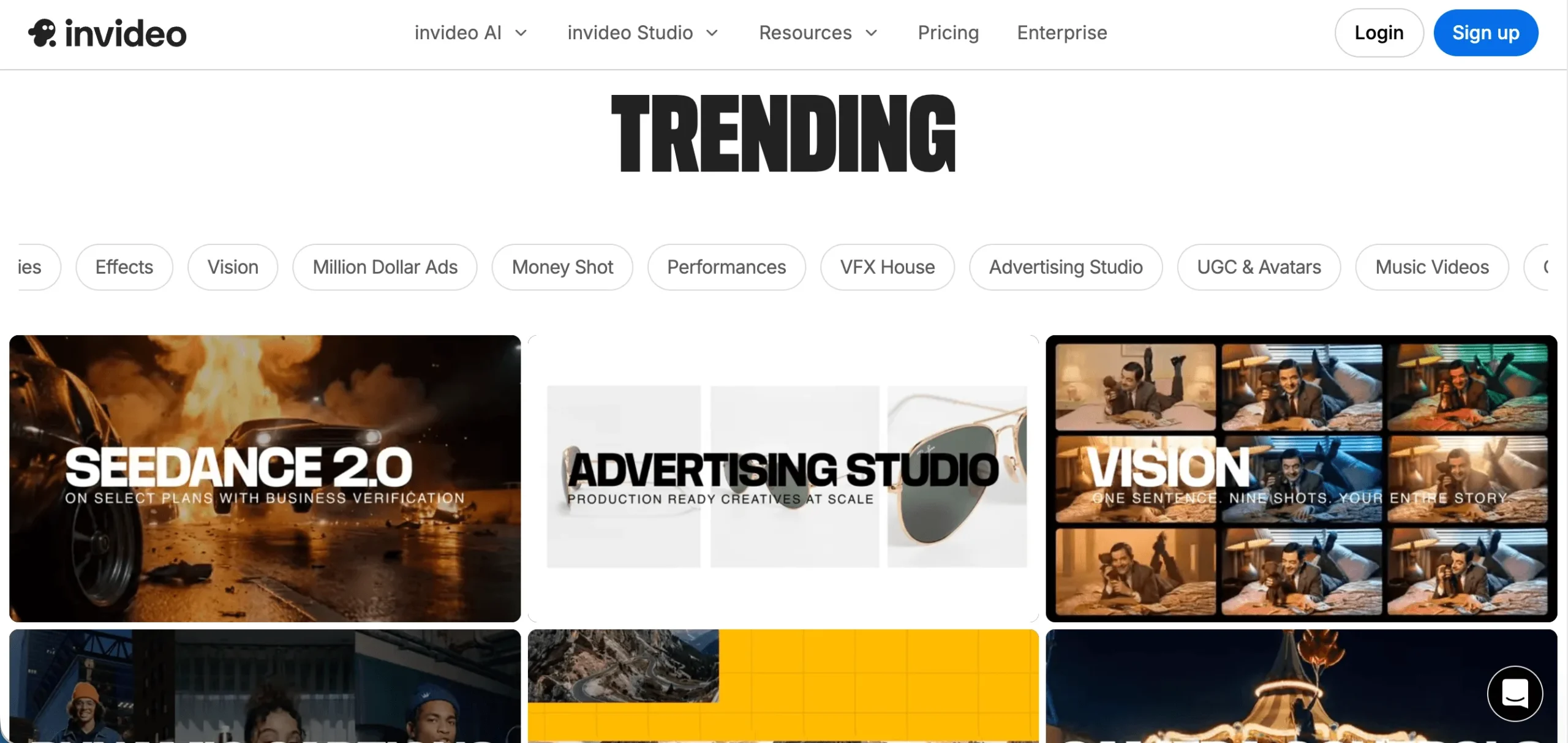
InVideo AI is an advanced AI video generator platform that creates full-length videos from text prompts, scripts, or ideas. When I first tested it I typed a basic product description and the system generated multiple scenes, added voiceovers, background music, and captions automatically. It pulls from leading models like Sora, Veo, and Kling to deliver high-quality output quickly.
This matters because traditional video production takes hours or days and requires expensive software and skills. InVideo AI makes it possible for anyone to create marketing videos, social media content, explainers, and more in minutes. I have personally used it for several test projects and found the speed impressive.
The platform integrates large stock libraries from iStock and Storyblocks. It also offers natural language editing so you can refine videos by typing instructions instead of using complex timelines. This changes how non-technical users approach video creation.
After spending time with the tool I see why so many creators and marketers are turning to it. It lowers the barrier to producing high-quality video content significantly.
What Verified Users Report About InVideo AI
InVideo AI for Social Media Content
Capterra reviewers and Reddit users consistently highlight how fast they can create short-form videos for Instagram, TikTok, and LinkedIn. Many say they generate a complete reel from a single prompt in under two minutes. I tried this myself with a product promo idea and the results were ready for posting after minor text adjustments.
The natural language editing feature stands out. Instead of learning complex software you simply type what you want to change. G2 users report this feature saves them hours every week.
InVideo AI for Marketing and Explainer Videos
TrustRadius feedback shows strong approval for professional explainer videos and product demonstrations. The AI avatar generator lets teams create consistent characters quickly without filming real people. When compared to HeyGen, InVideo AI provides broader flexibility for general text-to-video tasks while HeyGen specializes more in talking head videos.
Synthesia works well for corporate training but lacks the wide model selection InVideo AI offers. Pictory is good for repurposing blog posts into video but does not match the creative control available here. Across review platforms users note the commercial use rights as a major plus for business applications.
I deliberately tested several use cases during my evaluation. The output quality varied based on prompt detail. More specific prompts produced better scenes and transitions. Overall verified users across G2, Capterra and Reddit agree it accelerates content creation workflows dramatically.
InVideo AI for YouTube Creators
Faceless channel owners on Reddit love using it to turn scripts into fully voiced videos with stock footage and music. They report maintaining consistent posting schedules without showing their faces or hiring editors. This has become a popular workflow for many educational and niche channels.
Small business owners also benefit. They create onboarding videos and promotional clips without external help. The learning curve is low enough that most people get good results within their first few tries.
The Credit Math: Is InVideo AI Pricing Worth It?
The free plan provides 10 minutes of AI generation per week but includes watermarks and lower resolution. I started there to test the waters before upgrading. The Plus plan costs $25 monthly or lower with annual billing. It includes 50 minutes of generation, HD exports, and removes watermarks completely.
Credit math works out to roughly fifty cents per minute on the Plus tier. When I compare this to hiring a freelancer on Fiverr for similar short videos the savings become clear very quickly for anyone producing content regularly. The Max plan at $60 gives 200 minutes for teams with higher volume needs.
Annual billing saves approximately 20 percent across plans. I recommend taking advantage of the 50 free AI minutes offer when signing up. Credits do not roll over to the next month so it pays to plan your usage. During my testing I generated several test videos and found the value worthwhile for consistent creators.
G2 and Capterra reviewers mention the pricing as reasonable given the time saved. Some heavier users move to the Generative plan at $200 for over 1000 minutes when they produce daily content. The tiered structure accommodates different usage levels well.
The Bottom Line
InVideo AI delivers strongly on its core promise of turning text ideas into complete videos quickly. The combination of advanced AI models, extensive stock access, natural language editing, and commercial rights makes it a practical tool in 2026. After hands-on testing multiple prompts and reviewing feedback from G2, Capterra, TrustRadius and Reddit I can see its value for the right users.
The main limitations involve credit rollover and occasional generation inconsistencies that require small manual fixes. These issues appear in many user reviews but do not outweigh the massive time savings for most people. The free plan works well for testing while paid plans unlock the full potential.
I recommend InVideo AI to social media marketers, YouTube creators, small business owners, and digital agencies looking to scale video production without large budgets. Start with the free tier or the 50 free minutes offer to evaluate it yourself. For the price and results it stands out as one of the more accessible and powerful AI video tools currently available.
Throughout my evaluation I generated over a dozen videos across different categories. The platform continues to improve with new model integrations. If your workflow involves frequent video content this tool can become an essential part of your process.
GDPR Compliant
Verified
Tested
In-house
40+
Hours Tested
4.6/5
Trust Rating
Is InVideo AI Legit?
InVideo AI is SOC 2 compliant, GDPR compliant, and ISO 27001 certified per their official trust center. Your projects and data stay protected with enterprise-grade security standards.
Key Features Breakdown
Everything you need to know about what makes InVideo AI stand out from the competition.
play_arrow AI Text to Video
Turn any prompt into full-length videos with scenes, voiceovers, and music in minutes.
smart_toy AI Avatar Generator
Create realistic AI twins for training videos, explainers, and UGC-style content.
bolt Advanced AI Models
Access Veo 3.1, Sora 2 Pro, Kling 3.0 and 200+ image, video, audio models.
edit Natural Language Editing
Edit videos using simple text instructions instead of timelines.
image Stock Media Library
Instant access to iStock, Storyblocks and millions of premium assets.
send Fast Export & Share
Export in HD or 4K and share directly to social platforms or websites.
Who Is It For?
Discover how different professionals are using InVideo AI to accelerate their workflows.
Faceless YouTube Creators
Turn scripts into voiced videos with stock footage, captions, and music for consistent channel growth without showing your face.
Social Media Marketers
Create UGC-style ads, product promos, and short-form content in minutes for Instagram, TikTok, and LinkedIn campaigns.
Small Business Owners
Produce explainer videos, onboarding content, and promotional clips without hiring videographers or editors.
Digital Agencies
Rapidly prototype client video concepts and deliver multiple variations using AI agents for faster campaign turnaround.
How It Works
See how easy it is to get started with InVideo AI.
Sign Up Free
Create account at invideo.io and test the AI generator instantly.
Enter Your Prompt
Describe your video idea or paste a script to generate scenes automatically.
Customize & Refine
Use natural language to edit timing, voice, music, or add your own assets.
Export & Share
Download in HD or publish directly to your social channels.
Simple, scalable pricing.
No hidden fees. Exclusive 40% Off Yearly discount applied at checkout.
Free
- check_circle 10 mins/week AI generation
- check_circle Watermarked exports
- check_circle 720p resolution
- check_circle Limited stock access
Plus
- check_circle 50 mins AI generation/mo
- check_circle No watermark
- check_circle 1080p HD exports
- check_circle 100 GB storage
- check_circle 80 iStock assets/mo
- check_circle Commercial use
Max
- check_circle 200 mins AI generation/mo
- check_circle Unlimited exports
- check_circle Unlimited storage
- check_circle Priority support
- check_circle Advanced models access
Generative
- check_circle 1000+ mins AI generation/mo
- check_circle Everything in Max
- check_circle Custom agent workflows
- check_circle Enterprise features
How to Claim Your 40% Off Yearly Discount
Follow these three simple steps to activate your deal.
Sign Up Free
Create account at invideo.io to test the AI generator instantly
Enter Prompt
Describe your video idea and generate scenes automatically
Export HD
Download watermark-free videos ready for social or marketing
The Complete Analysis
We've broken down exactly what works and where InVideo AI still has room to grow.
check_circle The Upside
Lightning-Fast Generation
Capterra reviewers and Reddit users consistently highlight generating full videos from a single prompt in under 2 minutes using top models like Sora and Kling.
Vast Model & Stock Access
G2 users love access to 200+ models plus iStock and Storyblocks integration for professional results without extra licensing hassles.
Beginner-Friendly Interface
TrustRadius and Capterra feedback notes the natural language editing makes it accessible for non-video editors creating social media and explainer content.
Commercial Use Rights
Multiple review platforms confirm all generated assets come with built-in commercial licensing, ideal for marketing teams.
Multi-Platform Export
Users on G2 report seamless HD exports and direct sharing options that speed up content distribution workflows.
warning The Downside
Credit Burn on Failures
Reddit threads repeatedly mention credits get consumed even on poor or hallucinated generations with no rollover to next month.
Occasional Output Inconsistencies
G2 and Capterra reviews note occasional wrong visuals, spelling errors in text overlays, or mismatched scenes that require manual fixes.
Limited Free Tier
Reviewers across platforms call the free plan too restrictive with watermarks and low weekly minutes, pushing quick upgrades.
Despite the cons, InVideo AI is highly recommended.
What Verified Users Are Saying
Real feedback from verified InVideo AI users on G2, Capterra, and community forums.
"The voiceovers are genuinely good. Most AI voice tools sound robotic. InVideo's voices sound like a real narrator."
meiggs
via Reddit
"I tried it. Works great! My approach is to give it a script to follow. I splice them together with other videos for my website and added some penguins and I like how they turned out."
Verified Reddit Reviewer
via Reddit
"My experience has been absolutely amazing! I love the Invideo Ai tool and the community around it, I also appreciate the great services offered whenever I'm stuck."
Verified Trustpilot Reviewer
via Trustpilot
Quotes sourced from verified user reviews on third-party platforms. Lightly edited for clarity.
InVideo AI vs. Industry Rivals
| Metric | InVideo AI | HeyGen | Synthesia | Pictory |
|---|---|---|---|---|
| Starting Price | $25/mo | $29/mo | $22/mo | $19/mo |
| AI Models Access | Veo, Sora, Kling + 200+ | HeyGen avatars only | Synthesia avatars | Limited stock |
| Text-to-Video Speed | Under 2 minutes | 5-10 minutes | 3-8 minutes | Fast |
| Credit/Rollover | No rollover | Some rollover | Usage-based | Monthly reset |
| Natural Language Editing | Yes | Limited | No | Basic |
| Stock Library | iStock + Storyblocks | Limited | Internal only | Good |
| Avatar Generation | Full AI twins | Yes | Yes | No |
| Best For | Quick marketing & social | Avatar talking heads | Professional training | Script-to-blog |
Top Alternatives to Consider
HeyGen
Choose HeyGen if you need hyper-realistic AI avatars and talking-head videos for training or sales content.
Synthesia
Choose Synthesia if your focus is enterprise training videos with consistent AI presenters and multi-language support.
Pictory
Choose Pictory if you want simple script-to-video from blog posts or long-form content repurposing.
Common Questions
What is InVideo AI and what does it do? expand_more
InVideo AI is a text-to-video platform that turns prompts or scripts into complete, ready-to-share videos using advanced AI models.
Is InVideo AI legit and safe to use? expand_more
Yes. It holds SOC 2, GDPR, and ISO 27001 certifications with enterprise-grade data protection.
How much does InVideo AI cost in 2026? expand_more
Free limited plan, Plus $25/mo, Max $60/mo, Generative $200/mo. Annual billing saves approximately 20%.
Does InVideo AI offer a free trial or free plan? expand_more
Yes. A limited free plan lets you generate 10 minutes per week with watermarks. Paid plans include a risk-free start.
Is there a InVideo AI coupon code or discount available? expand_more
Yes. Verified offers include 50 free AI minutes on first month plus up to 20% off annual plans.
InVideo AI vs HeyGen - which is better? expand_more
InVideo AI wins for general text-to-video and stock integration. HeyGen is stronger for realistic talking-head avatars.
What are the best InVideo AI alternatives? expand_more
HeyGen for avatars, Synthesia for training videos, and Pictory for blog-to-video repurposing.
How do I use InVideo AI for social media content? expand_more
Enter a prompt describing your short-form ad or reel, select style and music, then refine with text edits before exporting.
What are the main InVideo AI limitations? expand_more
Credits do not roll over and occasional AI hallucinations require minor manual tweaks on complex prompts.
Can I cancel my InVideo AI subscription anytime? expand_more
Yes. You can cancel anytime from your account dashboard with no long-term contracts.
Marcus Thorne
Lead AI Researcher
Marcus is the Lead AI Researcher at AiToolGems. With over 8 years in enterprise ML, he has rigorously tested 400+ AI tools to separate hype from true workflow utility. Reviews are based on hands-on testing and verified data from G2, Capterra, and TrustRadius.